
Table of Contents
▼10 Best Project Management Software Options of 2024
B2B E-commerce & Magento Services
- Jan 02, 2024

Are you in search of the perfect project management platform? Look no further! We have compiled a list of the top 10 project management software options for 2024. Continue reading to find out more about each platform! 10 essential project management software solutions With the multitude of project management tools available, it can be challenging to choose one that suits your business needs. That's why we have carefully selected the best project management software options for 2024!
- Asana — Ideal for team collaboration
- Monday.com — Perfect for startup companies
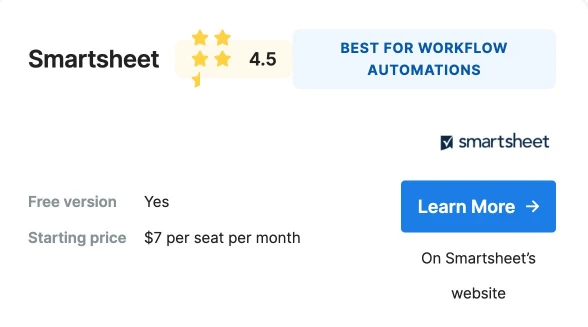
- Smartsheet — Excellent for workflow automations
- Zoho Projects — Great for tight budgets
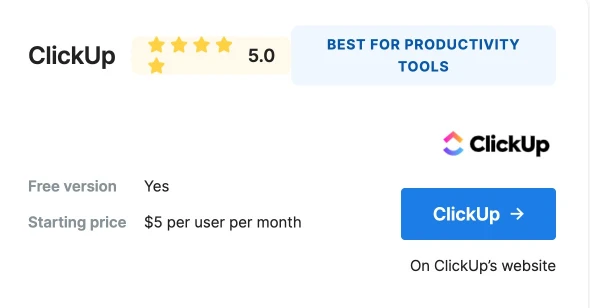
- ClickUp — Offers top-notch productivity tools
- Hive — Provides excellent proofing and annotation tools
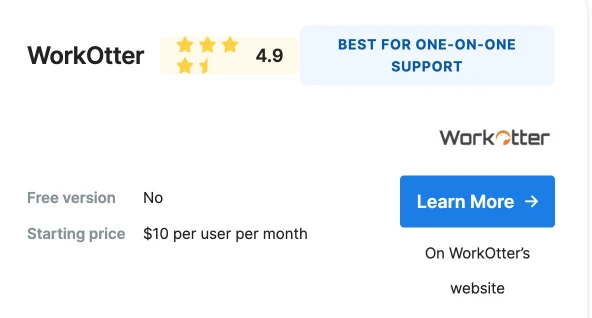
- WorkOtter — Offers exceptional one-on-one support
- Hub Planner — Ensures team efficiency
- Wrike — Incorporates artificial intelligence (AI) capabilities
Asana

Reasons for our selection
At the top of our list for project management software is Asana. Asana is an excellent choice for medium-sized organizations, particularly those with a significant number of remote employees. One of the key reasons we picked Asana is its comprehensive tool kit, which enables users to break down projects into manageable tasks and easily track their progress. Additionally, Asana offers a wide range of collaboration tools, allowing users to comment on tasks and projects, as well as communicate directly with other users through the in-app chat function. Another feature that sets Asana apart is its calendar, which provides an overview of all projects, their assigned team members, and their respective deadlines. To simplify project management, tasks are organized based on priority and displayed as bulleted to-do lists that users can easily mark as completed. Furthermore, Asana boasts a robust cross-team integration system that minimizes duplicate work and facilitates seamless collaboration on complex projects. With unlimited monthly actions, Asana can adapt and scale according to the evolving needs of your business. By upgrading to the Business plan, which is billed annually at $24.99/month, users gain access to additional features such as proofing, portfolio management, and time tracking.
Key Features
- Free version with robust offerings allowing up to 15 collaborators
- Calendar displaying tasks, assignees, and deadlines
- In-app direct messaging feature
- Bulleted to-do list
- Unlimited dashboards
- Timeline view
- Cross-team visibility
Monday.com

Reasons for our selection
Monday.com stands out as a cost-effective choice among the options listed. Despite its affordability, it offers a comprehensive collaborative toolkit, making it one of the leading project management software options available. Its project data visualizations and user-friendly interface make it particularly suitable for small businesses and start-ups in need of advanced project-tracking capabilities.
Moreover, Monday.com provides a user-friendly experience. It boasts a wide range of over 200 templates for customizable boards and features a convenient drag-and-drop timeline mechanism. Additionally, it offers a straightforward workflow automation system, complete with built-in automation templates or the option to create your own.
Managing individual tasks can often be overwhelming, but Monday.com eases the burden by adopting a vibrant interface. The color scheme enables efficient task organization and timeline tracking with just a quick glance. Furthermore, its companion mobile app ensures that you can access easily digestible project management features at your fingertips.
Key Features:
- Free version available for up to two users
- User-friendly interface with a bright-colored task management system
- Intuitive dashboards
- Detailed analytics
- Robust reporting capabilities
- Supports a wide range of integrations.
Smartsheet
Reasons for our selection
Smartsheet ranks third on our list of the best project management software, primarily serving as a spreadsheet-based tool. It is particularly beneficial for companies that prefer using spreadsheets for collaborative work. This tool offers the functionality of a spreadsheet interface without the need for complex coded software, making it an excellent choice for users seeking simplicity.
Similar to Monday.com, Smartsheet simplifies workflow automation through a user-friendly drag-and-drop mechanism. It enables various automation tasks, including email automation, approval requests, and deadline reminders.
Additionally, Smartsheet provides unique low-code companion apps that allow users to create apps directly from templates within a sheet. Some of these apps also enable the creation of custom documents and sheets that seamlessly integrate with other platforms like Microsoft and Google apps. The ease of sharing and automated proofing system offered by Smartsheet makes it an ideal option for businesses aiming to enhance efficiency.
Key Features:
- Free version available for up to two users.
- User-friendly interface with visually appealing task management.
- Intuitive dashboards for easy navigation.
- Detailed analytics to gain valuable insights.
- Robust reporting capabilities.
- Supports integration with numerous platforms
Zoho Projects

Reasons for our selection
Zoho Projects stands out as the most cost-effective option among the choices presented. It serves as an excellent addition to your company's technology stack, particularly if you are in the early stages of establishing your business. By utilizing Zoho Projects, you can consolidate all your project management tools into a single software, thanks to its wide range of offerings and compatibility with third-party applications.
With Zoho Projects, you have the ability to integrate various apps from Zoho and other renowned software onto one platform. Similar to Asana, it also includes a built-in direct messaging feature, facilitating smoother communication within your team.
Moreover, Zoho Projects allows you to conveniently log issues associated with each project and automate email responses to the relevant parties involved.
Efficiently organizing your projects and monitoring progress becomes effortless with Zoho Projects. It enables you to create Gantt charts and Resource Utilization charts by simply logging your tasks, milestones, and timelines. The software will automatically generate the appropriate charts for you.
Key Features:
- A comprehensive collection of complimentary apps
- User-friendly interface that seamlessly integrates with numerous third-party software
- Capability to generate Gantt and Resource Utilization charts
- Well-structured calendar providing an overview of each project
- Workflow automation
- Ability to log issues and automate email responses to the appropriate parties
ClickUp
Reasons for our selection
ClickUp offers a wide range of productivity tools commonly found in other project management platforms. These tools include the ability to collaborate on projects and create customized workflows for your team. One of the key advantages of ClickUp is its scalable architecture, user-friendly interface, and extensive selection of customizable features.
In addition to these features, ClickUp also provides real-time reporting, which allows you to receive live updates on your team's progress. This includes information on project status, milestones reached, and goals achieved. Furthermore, you can track the time spent on projects and set time limits to ensure your team stays on track and meets deadlines.
Similar to many other project management software, ClickUp offers powerful integration capabilities, allowing users to connect with over 1000 tools. This makes ClickUp an excellent choice for streamlining your workflow and centralizing your project management processes.
Key Features:
- Time tracking capabilities
- Real-time reporting
- Scalable architecture
- Extensive selection of customizable templates
- Integration with over 1000 tools
- Mobile app version available.
Kintone
Reasons for our selection
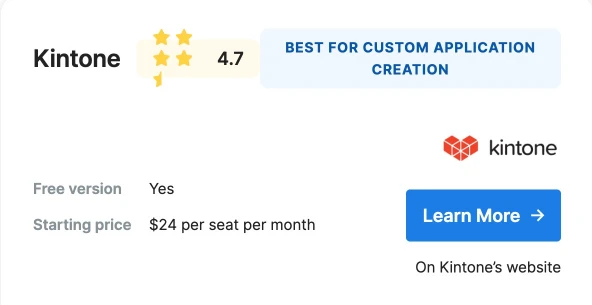
Kintone is a business development platform that offers low-code solutions for creating customized applications and managing workflow. Despite being a pricier option, Kintone proves to be a cost-effective choice for businesses that frequently develop custom applications, as it saves both time and money compared to setting up custom business software.
With its wide range of app templates and plug-ins, Kintone provides the flexibility to meet your business needs without requiring your team to learn complex coding. Once you create a new app, all team members can easily collaborate on projects by signing up with their own accounts.
Key Features:
- Low-code customizable apps
- Abundance of custom workflow management templates
- Secure collaboration
- Mobile app availability
- Custom reports.
Hive

Reasons for our selection
Hive offers a valuable solution for businesses seeking to streamline their workflow automation. By utilizing Hive's robust proofing and annotation tools, businesses with multi-step approval processes can significantly reduce the time spent on projects.
Hive simplifies complex timelines by presenting them in easily understandable charts and tables. Users can conveniently track their actions over time through various project viewing options. These options include table view, which allows for effortless sorting and filtering of projects, Gantt view, which enables the mapping out of project deadlines, and calendar view, which organizes projects based on their respective deadlines.
The Notes and Hangouts section in Hive facilitates seamless communication of next steps to the team, eliminating the need for lengthy meetings that disrupt workflow. Additionally, users can leverage the platform to post videos and engage with their team in real time.
Key features
- real-time video capabilities
- color-coded action status indicators
- multiple project viewing options
- powerful proofing
- annotation skills
- Notes section enhanced by AI assistance.
WorkOtter
Reasons for our selection
WorkOtter is the perfect solution for IT companies or new product developers seeking to enhance the efficiency of their project management. Unlike the alternatives mentioned, WorkOtter provides customers with a dedicated implementation specialist who will oversee their accounts and provide support during setup and data import.
One of the standout features of WorkOtter is its collection of over 50 vibrant and animated dashboards, which make it both visually appealing and user-friendly. Additionally, it offers customizable business forms and value scorecards, document management capabilities, and tailored training options.
Features
- Implementation specialists to help your team transfer data
- 50+ colorful and animated dashboards
- Many integration options
- Customized training
- Portfolio management
HubPlanner
Reasons for our selection
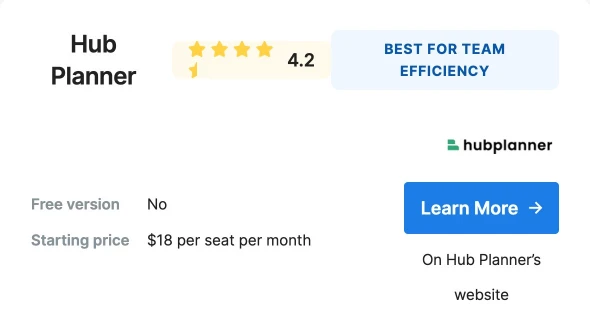
Hub Planner is a tool designed to enhance resource management and improve team efficiency. Its primary focus is on effectively assigning tasks that align with the strengths and expertise of employees. By utilizing Hub Planner, companies can easily identify individuals or teams based on their skills, effectively plan budgets, and efficiently manage PTO, leaves, and vacations within their team.
One of the key features of Hub Planner is its emphasis on team transparency. It enables team leaders to identify gaps in the schedule and optimize team utilization. Additionally, Hub Planner provides the ability to measure team performance and ensure that tasks are distributed evenly among team members.
With its seamless integration system, Hub Planner allows for the direct import of data from previous spreadsheets, making the transition to the platform smooth and hassle-free. Furthermore, Hub Planner offers the support of a skilled team who can assist in migrating existing solutions to the Hub Planner platform.
Features
- Resource scheduling tools
- Custom time sheets
- Skills matching
- Enterprise reporting
- Vacation and PTO requesting
- Project management
Wrike
Reasons for our selection
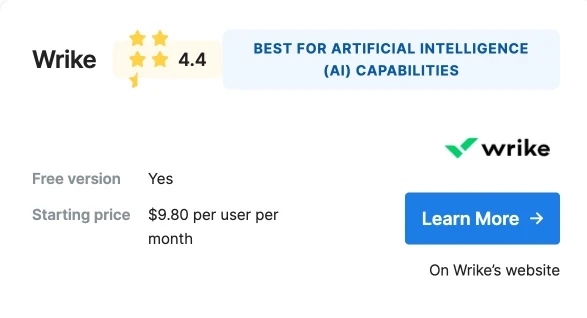
Wrike distinguishes itself from other project management software by offering a wide range of features, with its AI assistance being the standout. The AI function of Wrike is capable of executing intelligent actions like search, replies, and text recognition.
Moreover, Wrike enables users to include collaborators in their project boards without incurring any additional costs. These collaborators have the ability to track the progress of the project, provide comments, and approve projects for further development. This feature proves advantageous for smaller teams that do not necessitate a significant number of collaborators.
Features
- Free to add collaborators to projects
- AI assistance
- One-stop organization tool
- User-friendly interface
- Task prioritization tools
Methodology
When considering cost, we looked at both the upfront cost of purchasing the software and any ongoing subscription fees. We understand that businesses have different budgets and financial constraints, so we included options that offer a range of pricing plans to accommodate various needs.
User-friendliness was another important factor we considered. We understand that not all businesses have dedicated IT teams or employees with extensive technical knowledge. Therefore, we selected options that have intuitive interfaces and are easy to navigate, ensuring that even non-technical users can quickly adapt to and utilize the software effectively.
Features were also a crucial aspect of our evaluation. We analyzed the capabilities of each software, such as task management, collaboration tools, reporting and analytics, integration with other software, and customization options. We aimed to include options that offer a comprehensive set of features to meet the diverse needs of different businesses.
Customer feedback played a significant role in our selection process. We considered the overall satisfaction of users, as well as any common complaints or issues raised. By taking into account real-world experiences and opinions, we aimed to provide options that have a proven track record of delivering value and meeting customer expectations.
While our list may not include every project management software available, we believe it offers a solid starting point for businesses looking to find a suitable solution. We encourage businesses to thoroughly assess their specific requirements and consider factors such as team size, project complexity, and industry-specific needs when making their final decision. By doing so, businesses can ensure they choose a project management software that aligns with their unique needs and goals.
Optimize your digital marketing endeavors with Xcentric Services.
In order to expand your business horizons, it is crucial to implement a successful digital marketing strategy. If you desire to bolster your online presence without diverting your attention from business development, Xcentric is here to assist you.
Leveraging our extensive team of more than 100 software and digital marketing marketing professionals, we offer the convenience of digital marketing automation to drive your business towards success. Explore our range of digital marketing services to witness firsthand how our team can fuel the growth of your business.
Share



Want To Increase Your Ranking On The Search Engines?
Get In Touch With Us!
What To Read Next?

Xcentric Team
20 MONTHS AGO
Xcentric Team
21 MONTHS AGO

Xcentric Team
21 MONTHS AGO