
Table of Contents
▼
A business website is more than an online presence. It is a sales tool and a platform to build your brand. It might also be the first impression potential customers have of your business. A good website requires careful planning before its design and development.
Website planning is crucial to avoiding the unnecessary costs associated with poor navigation and underdeveloped content. Whether you’re launching your first business website or redesigning an existing one, a structured plan will give your project direction.
Xcentric Services helps businesses visualize their digital aspirations by transforming them into innovative, engaging, and interactive business websites. Our mission is to develop websites that drive our clients’ business goals and objectives.
This guide shows you how to plan a business website in 10 easy-to-follow steps, starting with defining your goals, audience and website features and ending with organizing your website pages, preparing your content and your website launch plan. We also cover selecting the right technology, on-page SEO, and testing your website.
What Does It Mean to Plan a Website and Why Is It Important?
Website planning allows you to set your goals and understand your target audience before defining the features and technology you will use to build your website and setting your budget.
Without proper planning, businesses frequently:
Exceed their budget because a website that is built without a plan tends to have a 'scope creep' effect
Redesign their website because the original design does not reflect business requirements
Poor navigation makes important information hard to find
SEO opportunities were missed due to the lack of page and keyword mapping
Higher development costs due to changing requirements
Low conversions, as visitors cannot find the next step to take
Website planning creates a common understanding of the website priorities and goals of the business owner, designer, developer and marketer.
A local plumbing company website may need to capture enquiries for their service, while an e-commerce website may need an online catalog for secure sales with inventory management.
The main goal of website planning is to determine the priorities and make decisions before the design and development of the website.
Step 1: What Should Your Website Goals Be?

What are the specific business results you expect your website to achieve? Describe one primary goal and two to three measurable key performance indicators (KPIs) for the goal. Some goals for a business website may be to:
Generate leads through contact forms
Increase phone enquiries
Make online sales
Book appointments and consultations
Improve brand awareness and build credibility
Provide information and support to customers
Weak messaging may happen when you try to achieve several goals at the same level. Figure out the primary goal for conversions first.
What type of business are you? | What is your main goal for your website? | What are some helpful KPIs? |
Professional Services | Generate enquiries | Qualified leads, contact or consultation form fills |
E-commerce | Increase online sales | Revenue, conversion rate, average order value |
Local business | Get calls and bookings | Calls, bookings, direction requests |
SaaS Company | Get product sign-ups | Trial sign-ups, demo requests |
Consulting Agency | Get consultations | Consultation requests, lead quality |
Your homepage should quickly communicate your value proposition and direct visitors towards a prominent contact or consultation CTA, if your objective is to generate leads.
Set and review goals using Google Analytics 4 (GA4), CRM reporting and conversion tracking.
Step 2: Who Is Your Target Audience?
This is the audience that is likely to purchase your products or services. Understanding them will help you tailor your website in a way that provides relevant content, navigation and effective conversion paths.
Create a basic profile, including:
Demographics (age range, location, occupation, business size)
Needs (what problems do they need to solve?)
Challenges (what is holding them back from purchasing?)
Buying behavior (how do they research and compare?)
Decisional factors (what is most important to them when making a purchase? i.e price, quality, service, support etc.)
Consider a US small business owner, for example:
What are the three most important things they want to know when thinking about hiring a web development agency?
Can this agency build a website that will help my business?
How much will it cost and how long will it take?
Will it help generate leads and be easy to use and maintain?
Establish your unique selling proposition (USP). What differentiates your business from competing service providers, whether that is industry experience, specialised services, custom solutions, or ongoing technical support?
Our goal is to help our clients convey their value through effective digital strategies as opposed to just pretty web pages.
Step 3: Which Pages Does a Business Website Need?
Typically, businesses should have pages that describe what they do, provide evidence to support their claims, explain how their products/services work, and include a call to action. The structure of a website and how these elements are incorporated will differ based on a business’s goals and industry.
Elements of a standard business website may include:
Page | Purpose | Content |
Homepage | Introduce business | Unique value proposition, key services, main benefit, primary call to action |
About Us | Describe business | Background, experience, and team |
Services | Explain offerings | Service descriptions and benefits |
Contact | Generate leads | Contact details |
Case Studies | Show results | Projects, challenges, and outcomes |
Testimonials | Build trust | Feedback |
Blog | Attract organic traffic | Guides, insights and industry resources |
Legal | Protect business | Disclosures, terms, and conditions, policy |
If a business provides multiple services, creating individual service pages is better than having a long-winded, all-inclusive page. For example, a digital agency specializing in web development and digital marketing may have individual service pages for WordPress development, UI/UX design, graphic design, and other related services.
Here is a basic example of a sitemap:
Home
About Us
Services
Website Development
WordPress Development
UI/UX Design
Digital Marketing
Portfolio
Blog
Contact Us
Privacy Policy
Terms and Conditions
This structure gives website visitors a simple way to reach key webpages and helps search engines understand the hierarchy of the website.
Step 4: How Should You Plan Your Website Structure and User Journeys?
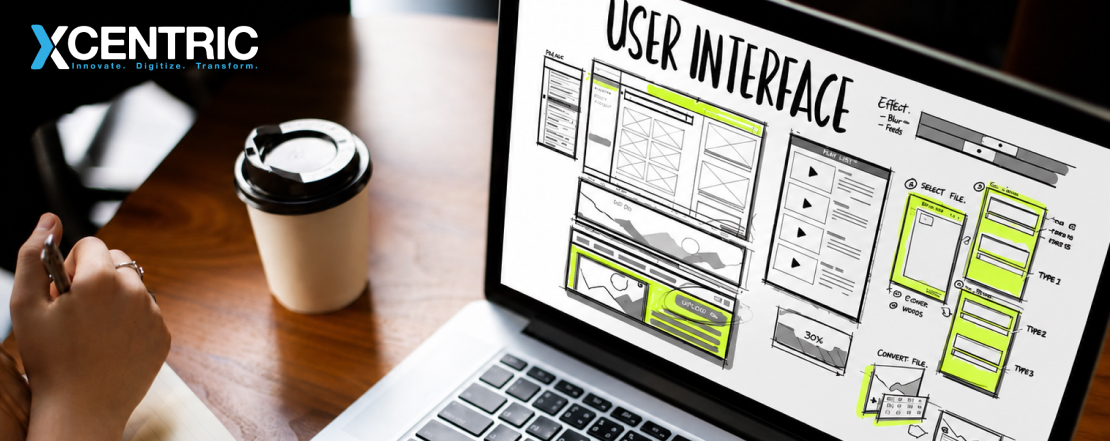
Structure your website so that you create a logical system of organisation for the webpages and a way for the user to reach the pages with the least amount of clicks.
A sitemap is a way to illustrate to the website designers and developers the structure of the webpages before the actual design starts.
When creating your sitemap, you should:
Make groups of related webpages
Make important webpages accessible with the main navigation menu
Have descriptive and simple URLs
Remove unnecessary levels of navigation
Related webpages should be connected with internal links
Have the conversion and contact page easily accessible
You should also map 2 or 3 important user journeys.
User journey | Entry page | Journey | Conversion |
Service enquiry | Homepage | Services - Website Development | Contact form |
Portfolio research | Case Studies | Project - Related service | Consultation |
Informational visitor | Blog article | Related article - Service page | Contact form |
Step 5: Choosing a Domain Name and Web Hosting

Your domain name is the address for your website, and your web host provides the server space that stores your website. You will want to strategically pick both of these options for your business.
Picking a Domain Name
An ideal business domain will be:
Short
Easy to remember
Relevant to your business
Easy to spell and pronounce
Does not contain numbers or hyphens
Consistent with your business identity
For businesses in the US, a .com domain is usually an easy pick. If your business is primarily in the UK, Canada or Australia, then a country-code domain may be a good choice.
Check the availability of the domains before purchasing them. You may also want to do a trademark search.
Understanding Web Hosting
The type of web hosting you choose should be based on the requirements of your business.
Hosting type | Best for | Main consideration |
Shared | Small sites, low traffic | Cost |
VPS | Medium businesses | Control |
Cloud | Large sites, scalability | Flexibility |
Managed | Requires technical assistance | Support |
If you are looking to change your hosting service, you will want to evaluate your options based on your expected traffic and the performance, security and support offered by the service.
A secure connection is crucial to protecting the data shared between your website and your customers. Your web host should provide an SSL certificate as part of your hosting service.
Xcentric Services can help your business evaluate its web hosting options and help you achieve your business goals.
Step 6: Should You Choose a Website Builder, CMS or Custom Development?
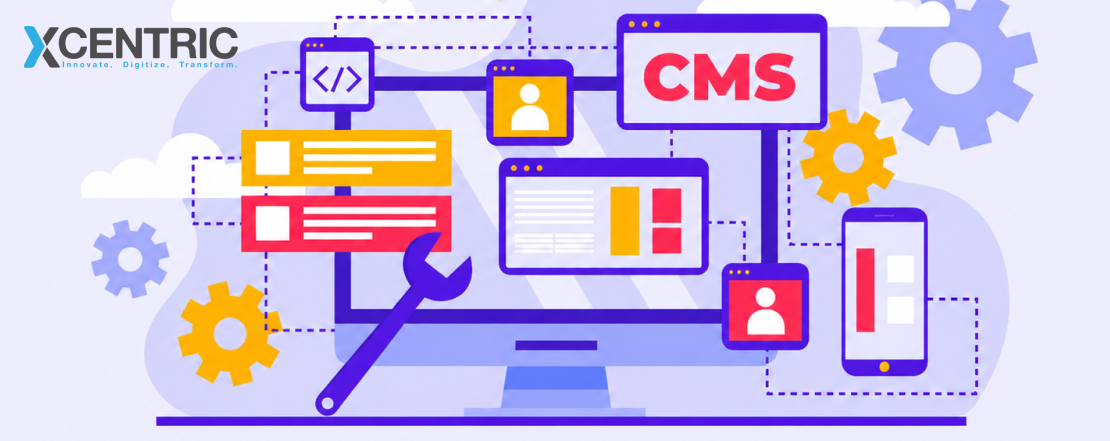
Factors such as your budget, the complexity of the site, how much the site can grow, and the resources you have to manage the site will help you decide on the right website platform. A website builder can work if your site is fairly simple. A CMS or custom development can work for sites with more complexity.
Platform approach | Flexibility | Maintenance | Suitable for |
Wix or Squarespace | Moderate | Simple | Small businesses |
WordPress | High | Updates and management | Heavy business sites |
Headless CMS | Very high | Requires technical expertise | Multi-channel experiences |
Custom Development | High | Depends on architecture | Complex business requirements |
Website Builders
Platforms such as Wix and Squarespace provide templates and visual editing tools. They can help businesses launch relatively simple websites without managing extensive technical infrastructure.
However, complex integrations and highly specialised functionality may require additional development.
WordPress and Traditional CMS Platforms
WordPress is what is known as a CMS. Businesses can manage pages, media, and other site content via an administration dashboard. There are a variety of plugins and themes. This can be a good option if content management and publishing is a focus.
Headless CMS and Custom Development
A Headless CMS also provides the management of content and other site elements, but the front-end is decoupled. This can provide more flexibility if the content needs to be delivered to various digital channels.
Customer workflows, integrations, and functionality might require a custom development solution when standard platforms do not integrate seamlessly with them. Standard platforms generally provide easy-to-use interfaces to build solutions, and they often encourage programmatic interfaces to integrate other systems. Using standard platforms should be the first choice, where available. The business requirement should dictate the choice of technology rather than vice versa.
For more information, consider selecting a technology stack based on scalability, security and long-term support and maintenance.
Step 7: How Do You Plan Website Design and Content?
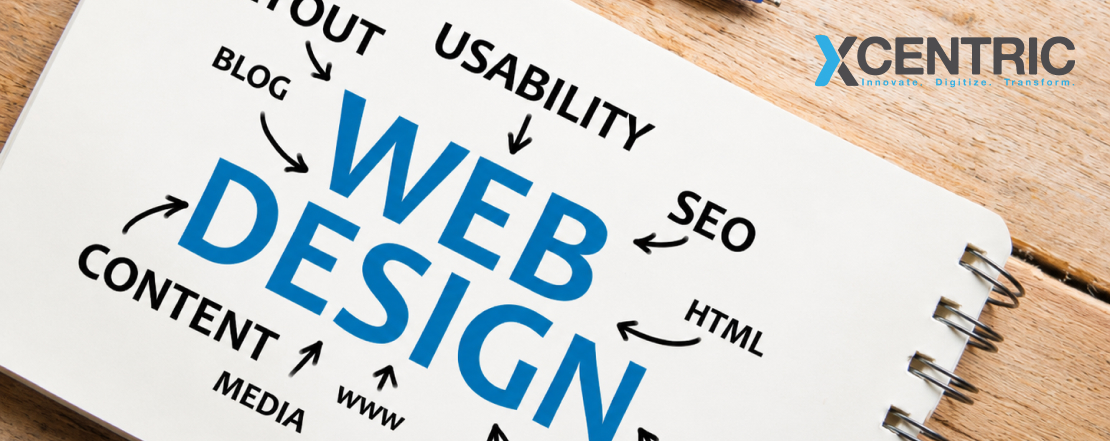
There are four key elements to any web page design. They are the visual identity, page layout, content and conversion elements. These elements should be designed and planned prior to developing the final website.
Credibility and Understanding
A website design should help your business look credible and help visitors understand your offerings and take the desired actions.
Prepare your Brand Assets
Gather these business assets prior to starting the web design process:
Primary and secondary business colors
Logos, brand standards and other visual identity elements
Fonts and typography standards
Product and service images
Company team and visuals
Marketing collateral
Wireframes
Wireframes help communicate layouts and user experiences to stakeholders prior to design and development of the website.
Write Content before Finalising Layouts
Web content helps convey the value your business offers. Prepare and edit layouts and designs based on content. Before finalizing the layouts and designs, ensure they help answer three questions:
What does your business offer?
Why should visitors choose you?
What should visitors do next?
One key feature of good web design is responsive layouts. This means that the layout of a web page will automatically adjust to the screen size of the device that is being used to view it. For more information about responsive design and its benefits, read our article on responsive web design.
Step 8: Which Website Features and Integrations Do You Need?
Website features should be aligned to your business goals. If a feature doesn't help users interact with your business, there is usually no reason to include it. Common features and integrations include:
Feature or integration | Business benefit |
Contact forms | Capture qualified leads |
Booking systems | Accept appointments online |
Live chat | Offer online support |
Payment gateways | Process online payments |
CRM integrations | Organize leads |
Google Analytics | Analyze visitors' behavior |
Email marketing | Conduct email campaigns |
Search functionality | Help users find information |
There are also various technical and legal requirements that will affect what features your website needs. All professional websites should include:
Mobile-responsive design
Consideration for Web Accessibility and WCAG
Secure forms and data protection
SSL/HTTPS
Backups
Spam protection
Clear information on cookies and data protection
Businesses that collect customer information should take into account the privacy regulations of the areas where they conduct business, including the US state where they operate, and the Canadian and UK regulations as well.
Xcentric Services can help analyze what features your website really needs, as well as determine what features and integrations will bring the most value to your business.
Step 9: How Do You Build SEO Into Your Website Planning?
SEO should be integrated into website planning from the start, rather than something that is added at the end of the development process. There are several elements of a webpage that can impact SEO. They include clear structure, relevant content, and descriptive metadata, to name a few.
One way to start would be keyword-to-page mapping.
Website Page | Target Keyword Theme | Search Intent |
Homepage | Business name and primary offering | Navigational |
Web Development | Website development services | Commercial |
WordPress Service | WordPress development | Commercial |
Blog Article | How to plan a website for your business | Informational |
Contact Page | Business name and contact details | Navigational |
Each important page should target a distinct search intent to minimize keyword overlap.
A few aspects of on-page SEO include:
Descriptive title tags and meta descriptions
H2 and H3 subheadings to organize content
Relevant internal links
Descriptive alt text for images
SEO-friendly structure for page URLs
Creating content that is original, useful, and of an appropriate length
Optimised images and page speed
XML sitemap and appropriate indexing settings
There are also design and technical elements of SEO to consider. These include using HTTPS, mobile-first web design, and adhering to Google’s Core Web Vitals.
For local businesses, creating an accurate Google Business Profile is important. It can also be helpful to include location-specific service information.
Step 10: How Should You Test, Launch and Maintain Your Website?
There are a few critical things that should be tested before launching a website. These include the core functionality of the site, how the site functions on mobile, security and tracking. Important pages and conversion paths should also be tested. It can also be helpful to create a sitewide test plan to document various types of tests.
Pre-launch Website Checklist
Test | What to verify |
Navigation | All menus and internal links work |
Contact forms | Submit to the right inbox/CRM |
Mobile | Works on all mobile devices |
Page speed | Images and scripts are optimized |
SEO | Titles, descriptions, headings, indexing |
Redirects | Old urls redirect correctly |
Analytics | GA4 conversion events |
Security | Basic SSL, backups, protection |
Accessibility | Keyboard navigation, contrast, alt text |
Content | No broken links, placeholder text, typos |
Plan a Monthly Maintenance Routine
Website maintenance should include broken-link checks, security checks, plugin/software updates, performance checks, and database backups.
Understand which website pages attract visitors the most and the website journeys that generate leads/contact requests using GA4 reports.
For redesign projects, use data to inform design/layout decisions instead of assumptions. Prioritize improvements based on actual user behavior.
How Much Does a Business Website Cost?
Factors that impact the cost of building a business website include design complexity, page count, functionality, integrations, and approach to development. E-commerce websites and custom websites tend to cost more than a traditional brochure website.
As a preliminary US budget guide, consider the following planning amounts rather than market quotes:
Type of Website | Planning Budget |
Basic small business website | $1,000 - $5,000 |
Professionally designed business website | $5,000 - $15,000 |
Advanced or custom business website | $15,000 - $40,000+ |
These ranges are illustrative for project planning, and not averages for the industry or rates quoted by Xcentric Services. Actual rates are determined by the scope of work and the service provider.
What Should You Include in a Website Planning Brief?
A website planning brief outlines your decisions for a web designer or developer. It helps avoid miscommunications and aids in proposal comparison.
Use this template to write a planning brief prior to requesting quotations.
Website Brief Template
Planning Area | Information to provide |
Business Name | Company name and industry |
Primary Goal | Leads, sales, bookings or enquiries |
Target Audience | Customer profile and target locations |
Unique Selling Proposition | What is unique about your business |
Required Pages | Homepage, about us, services, contact, blog, etc |
Required Features | Forms, bookings, payments, CRM and integrations |
Design Direction | Preferred colors and branding, reference websites |
Platform Preference | Website builder, WordPress or custom |
SEO Requirements | Target keywords and important landing pages |
Budget | Estimated project investment in US$ |
Deadline | Preferred launch date |
Maintenance | Required updates, server and support |
Practical Tip: Share your website brief with at least 2 to 3 qualified web agencies, and compare the proposals based on the understanding of your requirements, deliverables and the process.
How Can Xcentric Services Help You Plan and Develop Your Business Website?
Collaborating with a digital and design agency with a clear grasp of business needs and technical execution makes planning a website much easier.
Xcentric Services' strategic planning and professional design and website development services convert website ideas into structured digital solutions, helping businesses transform.
Our team can help you with your project throughout:
Planning and design of website information
Custom webpage design and development
WordPress website solutions
Interfaces based on the user and their reactions
CMS and technology choice
Functions of a website and third-party integrations
SEO-friendly website structures
Technical enhancements and continued assistance
From building your first business website to a full redesign, our practice centers on building a website that will help you achieve your business objectives, assert your worth and provide a clear path for customers to follow to make a conversion.
Looking to make your website plans a reality? Our web development company services can be explored, and you can talk to Xcentric Services about your project.
Conclusion
Having a Website Plan means that you have a direction before you invest in your Business Website. Whether it's setting website goals, knowing who you're targeting, the sitemap, the selectable CMS and preparing for launch, all these decisions have an impact on the website's lifespan.
Attractive is not enough for a successful business website. It must be a value extension, have a seamless user experience, be search engine friendly and create meaningful business opportunities.
Once you're ready to move forward, Xcentric Services ensures you plan, design and develop a website that's in line with your business goals. Give our team a call to talk about what you need and create a website that's a valuable business asset for the long haul.
Frequently Asked Questions
How do I plan a website for my business?
The first step is to figure out your main business objective and target audience. Then create your pages, sitemap, user journeys, domain, hosting, platform, design, content, features and SEO requirements. Complete with a development brief and pre-launch checklist.
How many days will it take to make a business website?
For a simple small business website, it will take about one to two weeks to plan, and for more comprehensive websites, several weeks. The timeframe will be subject to approval of the Stakeholders, completion of content, integrations, technical requirements.
What pages should a business website have?
The typical business site will have a home page, about page, services pages, contact page, testimonials/case studies page, and relevant legal pages. For businesses that are investing in content marketing and organic search, a blog is beneficial as well.
Which is better, WordPress or a website builder?
A website builder would work for businesses that have limited technical resources and simple requirements. WordPress offers additional flexibility in managing, customizing and integrating content. If your needs are beyond the reach of the standard platform, then the possibility of custom development should be explored.
What should I prepare before hiring a web development agency?
Determine your business objectives, target audience, brand materials, pages, functionality, content needs, budget and expected deadline. An agency brief to them that is simple to understand will better understand the project and therefore give a more accurate proposal.
How much does a business website cost?
The price of a website depends on the platform, design, number of pages, integrations and functions. The price of a basic webpage can range from a few thousand dollars to advanced custom projects can be much more expensive. Always ask for a scope-based quote before making a commitment.
What are the advantages of SEO for website design?
SEO can be used to build the structure, hierarchy, keywords and technical aspects of the website before development. Early SEO planning can minimize costly structural shifts and enhance website's attractiveness to the correct organic traffic.
Can I redesign my current website without losing my rankings in SEO?
Yes. Careful handling of URLs, redirects, metadata, links, internal links, and content and indexing settings can help maintain the SEO value of a site during a redesign. Before altering the structure of your current website, audit your existing website's organic traffic as well as high-performing pages.
What is the frequency for business website maintenance?
The website of a business website needs to be checked at regular intervals every month, including updates, backup, security, broken links, forms and performance. Depending on the traffic and the number of functions, the website can also need regular or constant monitoring, for example, weekly or on a regular basis.
Should I hire a professional website development agency?
Properly hiring a professional agency can help businesses prevent technical mistakes, enhance user experience, and construct a website that is around measurable objectives. It is especially useful if the project requires custom functionality, integration, SEO needs and long term scalability.

Share



Want To Increase Your Ranking On The Search Engines?
Get In Touch With Us!
Trending Blogs
Digital Marketing...
Xcentric Team
8 MONTHS AGO

What To Read Next?

For owners and managers of dental clinics in Lahore, here is a critical fact you...
Xcentric Team
8 MONTHS AGO

The Middle East e-commerce industry is rapidly growing due to increased digital acceptance, mobile-first consumers...
Xcentric Team
9 MONTHS AGO

These days, the e-commerce industry is growing at an exponential rate. With the rise of...
Xcentric Team
9 MONTHS AGO