Table of Contents
▼
Deciding which content management system (CMS) is best for your business has both technical and logistical elements. Business type dictates some elements. For example, if you are planning a website for your startup, planning a rebranding of your multiple business holdings, or planning a full Digital Transformation of your business, the type of CMS you choose will affect how your website performs, how scalable it is, how secure it is, and the cost of your website over its lifetime.
One of the business and website development questions most often posed is, "Should we choose headless CMS or a traditional CMS?" Although CMS platforms that use a traditional model (like WordPress) have been used for years, headless CMS are now the preferred option for organizations that require greater flexibility and need to deliver content across multiple channels.
There is no clear path for which is better for your business. Each of your goals, headcount, budget and how you plan to grow your business are all considerations. Xcentric Services will analyze headless CMS and traditional CMS, highlight the benefits of headless CMS, compare headless CMS and WordPress, and help you make your decision.
What are Traditional CMS?

Traditional CMS are easily understood once you see how headless CMS are structured. Traditional content management systems use a CMS model that is embedded in a single platform. In a monolithic architecture, the content repository (the backend) and the presentation layer (the frontend) are linked to each other. They store the content, control the website, and render the pages that are sent to users.
Examples of traditional CMS include the following:
WordPress
Drupal
Joomla
Sitecore
One reason businesses use a traditional CMS is its convenience. Marketing teams can do expansions like creating pages, uploading images and blogs, and editing content without asking developers for help.
A lot of traditional CMS include a WYSIWYG (What You See Is What You Get) editor, which helps content creators with page previews while they are editing. They also include themes and templates, helping businesses be quick with launching a website.
Another of its features is the plugin extension model. Instead of creating features, businesses can install plugins for SEO, forms, eCommerce, analytics, booking systems, and so on.
Lastly, traditional CMS create HTML from templates, which means that every page is created by the CMS itself before being sent to the browser.
Feature | Traditional CMS |
Architecture | Monolithic (front end + back end together) |
Editing | Experience built-in WYSIWYG editor |
Themes | Pre-built templates available |
Extensions | Plugin ecosystem |
Content Delivery | HTML rendered directly |
Best For | Business websites, blogs, SMEs |
Traditional CMS systems work best for organizations that value convenience and speed.
What Is a Headless CMS?
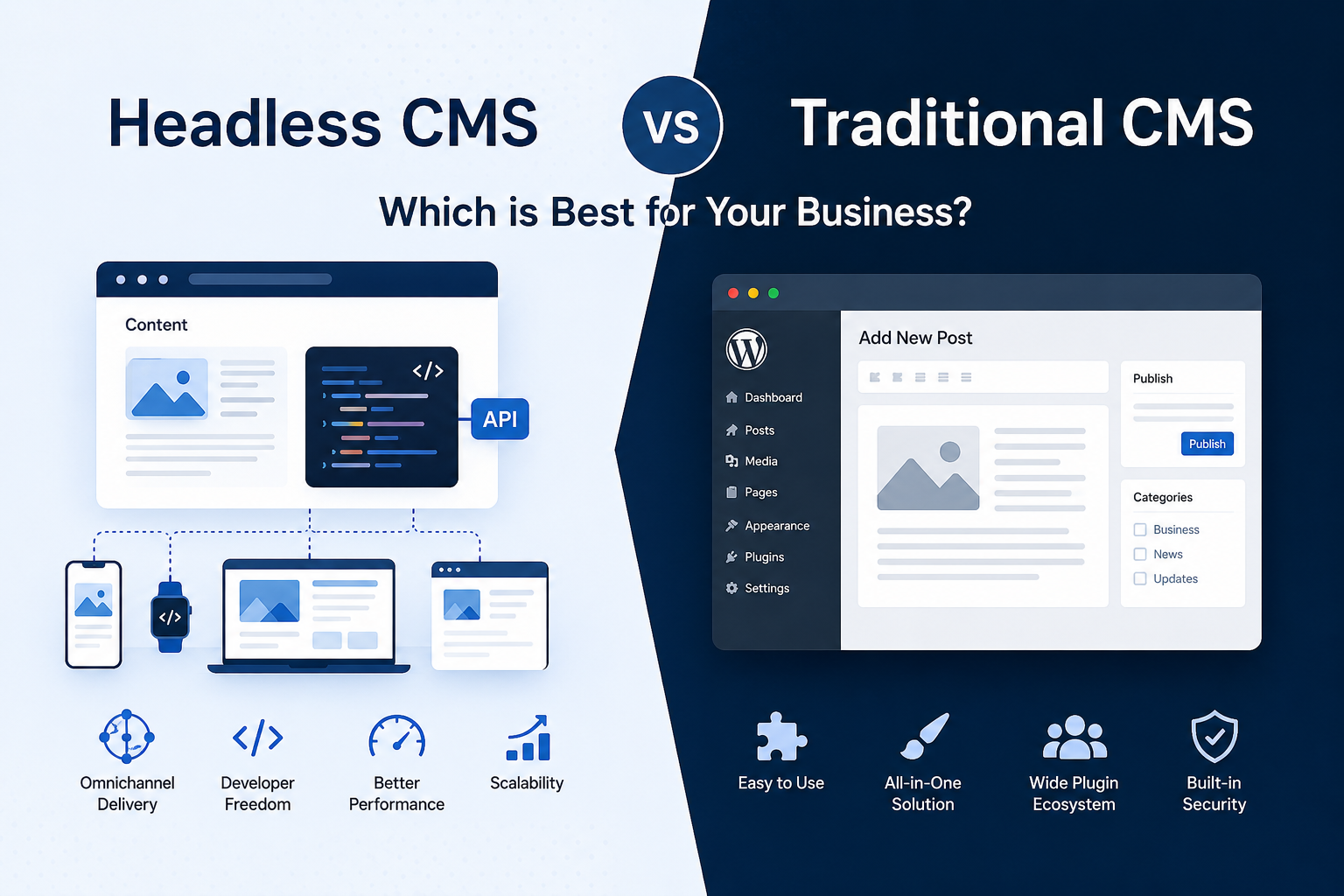
A headless CMS is best explained by the concept of separating content management from website design. With traditional systems, a headless CMS uses a decoupled architecture. The CMS only manages content inside a centralized content repository.
A headless CMS uses REST APIs and GraphQL to deliver content and doesn't generate HTML pages on its own. Thanks to the API-first system, content can be served to many digital points, including:
Websites
Mobile Apps
Smart TVs
IoT
Kiosks
Wearables
Customer Portals
Since the front end is completely separated, developers can use whatever technology they want, which means that headless CMS is not tied to any specific programming language. Some of the popular front-end frameworks are:
React
Vue.js
Angular
Next.js
Nuxt.js
In the meantime, businesses are able to manage the content through one single dashboard.
Some of the more popular headless CMS that can be found on the market are:
Contentful
Strapi
Sanity
Storyblok
Hygraph
Directus
Even though each of these platforms is different in terms of pricing and features, they are all based on the same principle: content is managed separately from presentation.
Traditional CMS vs Headless CMS
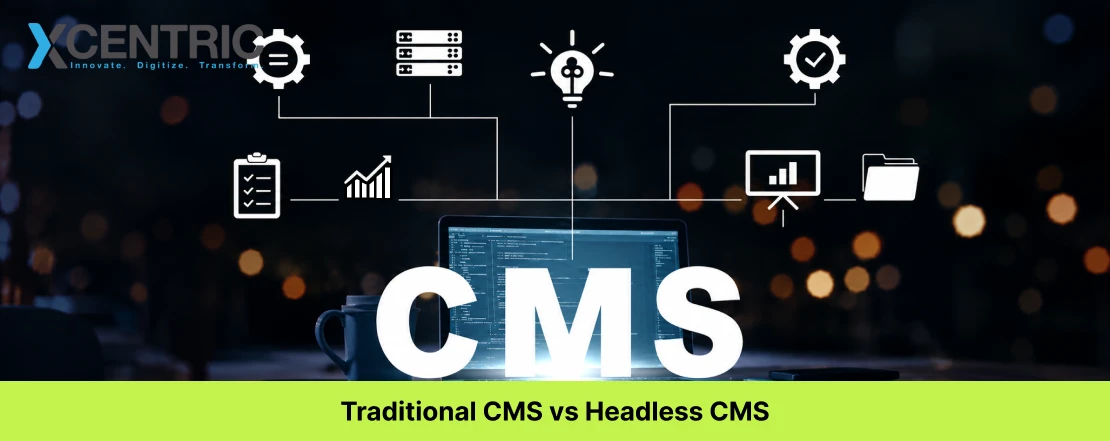
This table represents the differences that really separate the headless CMS and the Traditional CMS.
Traditional CMS | Headless CMS |
Front and back end connected | Separated |
Generates HTML pages | Responds with APIs |
Website centric | Omnichannel |
Limited frameworks | Any framework can be used |
A traditional CMS centers around web pages and content for a specific website. Headless CMS, however, is based on content building blocks that can be assembled and reused. These building blocks offer a flexible and more powerful way to display and distribute content to every digital touchpoint, which is a huge advantage for organizations aiming for growth and a consistent digital presence across many platforms.
Benefits of Headless CMS
Companies are usually interested in the benefits of headless CMS when they start to move beyond managing a single website. As customer interactions continue to spread across numerous digital channels, the ability to manage the content for all those channels within one centralized system starts to make a lot more sense.
Perhaps the greatest advantage of headless CMS is the delivery of content across numerous channels. Instead of managing and recreating the same content numerous times across all the channels, organizations are now able to create content once and distribute it across all the different channels. This means that once a company decides to edit and push a company announcement, marketing campaign, or product description, that new version in all other active channels is performed with no additional work.
An added advantage is developer freedom. Since a headless CMS is agnostic to a certain technology, development teams have the option to choose modern frameworks (for instance: React and the MERN stack, Vue, Angular, Next.js, or Nuxt) based on the requirements of the business as opposed to the limitations of the platform.
This also simplifies the flexibility of any redesigns in the future. It is possible for businesses to refresh the look of their website without the need to redesign the entire content management system.
Key Benefits of Headless CMS
Benefits | Business Value |
Omnichannel delivery | Publish once, distribute everywhere |
Content reuse | No duplicate content management |
Framework flexibility | React, Vue, Angular, Next.js, Nuxt |
Better scalability | Handles traffic spikes efficiently |
Future-proof architecture | Easier adoption of new technologies |
Improved security | Reduced attack surface |
Faster performance | Supports SSR and Static Site Generation |
Enterprise integrations | CRM, DAM, PIM, ERP compatibility |
Key to any enterprise architecture, is performance. Modern front-end frameworks commonly offer SSR and SSG and as a result, websites built on headless CMS frameworks typically provide a faster user experience. Fast websites provide a better user experience and improve a website's Core Web Vitals, which has a direct positive effect on SEO and conversion rates.
Security is also a key differentiator in headless CMS. Since the front end of a headless CMS is decoupled from the content management system, security holes that could be exploited in a combined monolithic system are eliminated.
With headless CMS, the architecture is decoupled from the most commonly used enterprise systems (CRM, PIM, and DAM) and as a result, significantly improves the operational efficiency of businesses managing thousands of products or multiple brands.
For companies designing intricate digital ecosystems, headless architectures paired with professional Full Stack Development will ensure correct implementations with secure APIs, built out and flexible infrastructures, and fine-tuned modern front-end experiences.
Drawbacks of a Headless CMS
The headless CMS flexibility and scalability won't be the right architecture for every company. There are challenges and additional responsibilities that need to be understood.
Large initial cost
The largest challenge is the increased initial cost to develop. The traditional CMS offers a unified package that incorporates both the presentation and the content management. That is not the case for headless CMS. The front-end needs to be built, developed, and maintained separately, which increases the cost.
Lack of a Built-in Content Editor
The lack of a built-in WYSIWYG (What You See Is What You Get) experience. With a headless CMS, the content editors have to deal with structured content instead of full web pages. This means that unless a separate custom preview is built, the content editors will not have a clear view of how the page will look when published. This experience gap will hinder headless CMS for companies that have marketing teams that are used to drag-and-drop page builders.
Requires Technical Knowledge
A headless CMS will only be successful with a development team that is technically advanced. The business will need a lot of specific areas of expertise such as front-end development, API development, integrating CI/CD, DevOps, and cloud deployment. Companies that don’t have this will rely heavily on third-party development.
No SEO Features
Traditional CMSs include ready-to-use features for SEO. On the other hand, headless solutions offer no automated features for SEO. Developers must include metadata, structured data, XML sitemaps, canonical tags, etc. Also, they must use specific rendering techniques. If the front end is based completely on Client-Side Rendering (CSR), search engines may not be able to index the content.
High Cost of Ownership
Some companies fail to take into account the Total Cost of Ownership (TCO). Even when the license for the CMS appears to be inexpensive, costs related to the maintenance of the front end, the infrastructure, DevOps, and improvements incurred on a constant basis may be significant.
Drawback | Business Impact |
Higher upfront investment | Custom front-end development required |
No native visual preview | Additional implementation needed |
Requires experienced developers | Greater technical dependency |
Manual SEO implementation | More planning and ongoing maintenance |
Higher operational complexity | Increased DevOps and infrastructure needs |
Higher long-term maintenance | Total ownership costs may exceed expectations |
For companies with simple digital needs, these drawbacks may surpass the advantages.
When to Choose a Traditional CMS
For most organizations, a traditional CMS is the best solution. If your priority is to quickly launch a business website with no substantial investment in custom development, a traditional CMS is often the best choice. Marketing teams are able to independently publish pages, manage the blog, update products, and optimize SEO via visual editors and plugins they are accustomed to and can easily use. A traditional CMS is often the best choice when:
Your business only has one website to publish content on
You have few or no in-house developers
Long-term flexibility in the system is not as important as speed to publish
Your budget prefers lower upfront costs
Your website has a relatively simple structure and functionality
You manage only one website and/or a small number of languages
Integrations can be managed via existing plugins
This is especially true for traditional CMS systems for small and medium-sized businesses, startups, local service providers, personal brands, and content publishers.
Companies that plan this kind of website can expect to save costs with professional WordPress Website Development services that offer scalable, secure, and SEO-friendly websites.
When Should Businesses Choose a Headless CMS
This changes when your company does business on many channels, or expects much growth in the future. A headless CMS is useful when content is to be published on websites, mobile apps, customer portals, kiosks, smart devices, or any other digital platforms, and content systems should not be duplicated.
A headless CMS architecture will most benefit an organization when:
It has multiple brands or international websites
It engages in omnichannel content delivery
Its front-end is built using React, Vue, Angular for enterprise-scale applications, or Next.js
It has (or is planning to have) advanced connectors to CRM, PIM, DAM, ERP, etc
It has huge content and traffic and needs greater scalability
Content needs to be structured for many channels
It values flexibility over quick implementation
These organizations consider technology a long-term competitive advantage and not just a tool for publishing.
The integration of APIs, front-end apps, security, and infrastructure requires careful implementation and experienced Full Stack Developers. A good implementation will ensure all areas integrate and work well, allowing for future expansion.
Headless CMS vs WordPress: What's Better for Your Business?
A common assumption when comparing headless CMS and WordPress is that a business must select either headless CMS or WordPress. In fact, a business has three options.
For most businesses, the traditional WordPress method is the preferred option. It integrates content management, page building, themes, and plugins into a unified system. Being built in PHP, WordPress has a range of built-in tools and additional plugins. Businesses have the option of hosted WordPress.com or self-hosted WordPress.org.
With more complex websites, managing plugins and the performance of plugins can become an issue. A business may have some vendor lock-in due to proprietary themes and plugins. The limitations of WordPress plugins are eliminated with a headless CMS. In a headless CMS, content is served as an API and can be integrated into any front-end framework, though custom work is necessary to ensure SEO and other business functions.
Feature | Traditional WordPress | Headless CMS | Headless WordPress |
Editing Experience | Gutenberg editor | Structured editing | Gutenberg editor |
Front End | WordPress themes | React, Vue, Angular, Next.js | React/Next.js |
SEO | Plugin-based | Custom implementation | Hybrid approach |
Omnichannel | Limited | Excellent | Good |
Performance | Moderate | Excellent | Excellent |
Developer Flexibility | Moderate | Very High | High |
For many growing businesses, Headless WordPress strikes the right balance between a user-friendly system and a highly performant application.
Which CMS Architecture is Better for SEO?
A common misunderstanding when comparing headless CMS and traditional CMS is that headless websites are typically poorly ranked on search engines. Actually, headless CMS is not at all bad for SEO. It is the poor implementation that typically causes unfavorable SEO results.
Traditional CMS systems have a number of SEO plugins that auto-generate XML sitemaps, fine-tune robots.txt files, create metadata, and help with on-page content.
The functionality in Headless CMS systems is created on purpose. Properly optimizing your headless website involves understanding your CMS. Below is a comparison of SEO requirements for traditional and headless CMS.
Headless CMS requires some manual intervention for items such as sitemaps, pagination, faceted navigation, and a number of SEO features. Traditional CMS systems cover these almost out of the box.
For SEO headless projects, this is the preferred stack:
Server-Side Rendering (SSR)
Static Site Generation (SSG)
Incremental Static Regeneration (ISR)
A CDN for a faster site
Through this, the aim is for headless projects to have better Core Web Vitals than traditional CMS projects with advanced customization and numerous plugins.
Switching from a traditional CMS to a headless system involves more than simply moving your content from one system to another. There are a number of issues businesses run into during the migration that are easily avoidable.
Estimating a total front-end development budget is difficult for many organizations. They underestimate the costs of front-end content maintenance and the costs associated with continuous integration and continuous deployment (CI/CD) and DevOps.
Final Evaluation: Traditional CMS or Headless CMS
A comparison between traditional CMS and headless CMS is not a comparison of technologies. Rather, it is a comparison of business goals and correct architectures. For companies prioritizing rapid deployment and simple management with minimal investments, traditional CMS is a great option. For companies with basic online requirements, traditional CMS is a great option to build and expand their online presence.
Frequently Asked Questions
Which is better: Headless CMS vs Traditional CMS?
There is no answer that fits all for this question. The one that aligns with your business goals and available technical resources, as well as your content strategy and forecast growth, is the one that is better
What are the advantages of headless CMS?
Some advantages of headless CMS are increased scalability, security and flexible architecture. Development and content channel integration are also simplified
Is WordPress a headless CMS?
By definition, WordPress is a monolithic CMS. Headless architectures can be implemented in WordPress by content exposure via REST API or WPGraphQL
Is headless CMS good for SEO?
Yes. When implemented correctly, headless CMS can offer excellent SEO, especially in comparison to traditional CMS.
Who is a traditional CMS for?
Organizations with low budgets, simple content and low integration requirements, and fewer publishing channels are traditional CMS customers

Share



Want To Increase Your Ranking On The Search Engines?
Get In Touch With Us!
Trending Blogs
Digital Marketing...
Xcentric Team
7 MONTHS AGO

What To Read Next?

For owners and managers of dental clinics in Lahore, here is a critical fact you...
Xcentric Team
7 MONTHS AGO

The Middle East e-commerce industry is rapidly growing due to increased digital acceptance, mobile-first consumers...
Xcentric Team
8 MONTHS AGO

These days, the e-commerce industry is growing at an exponential rate. With the rise of...
Xcentric Team
8 MONTHS AGO