Table of Contents
▼Digital Cafeteria Management System: How to Choose One for Your Organization
- Jul 10, 2026
Digital cafeteria management systems centralize all food service ecosystems within one platform. Rather than juggling separate systems for food orders, transactions, menus, inventory, and reporting, DSMS integrates all food service systems within one platform.
Automated orders, payments, and reporting in a centralized system eliminate wasteful and time-consuming manual processes. Conversely, for organizations that lack a DSMS, employees must manage food service orders and payments using paper coupons, cash, a manual payment ledger, and a series of disconnected and delayed spreadsheets.
Off-the-shelf Digital cafeteria management systems are a configuration of the same core systems. Because all DSMSs utilize the same core technologies, purchasing a DSMS is a very costly operational decision. For the first time in decades, cafeteria management systems globally are realizing the interconnected nature of DSMS core technologies. The systems are also realizing that a DSMS is an integrated solution for wholesale purchasing, management, and fulfillment of meal service within an ecosystem.
If you are searching for options to implement something new or to update current systems, discussing your needs with the Xcentric Services team will help you identify the best option moving forward.
What is the Difference Between a Cafeteria Management System and a Canteen Management System?
The difference is primarily regional and not functional. In North America, the term "cafeteria management system" is generally used. In the UK, Commonwealth countries, India, and the majority of the GCC region, the software is referred to as a Canteen Management System.
For global businesses that operate in multiple regions, both terms are interchangeable in the procurement and software review.
How It Works: From Orders to Reports
One of the main reasons businesses select a digital cafeteria management system is the operational simplicity it provides.
A typical process includes:
Step | Process |
1 | Users utilize biometric identifications, an RFID smart card, QR/mobi apps, or an employee ID to identify themselves |
2 | Users select meals via a point-of-sale terminal, self-service kiosk, mobile app, or a web portal |
3 | The transaction is logged |
4 | A kitchen order ticket is generated |
5 | Automatic bill, subsidy, and meal eligibility assessment is processed |
6 | Real-time inventory assessment is processed |
7 | Admin console and reporting dashboard are updated |
Today's systems automate the elimination of manual reconciliations, paper coupons, cash transactions, and spreadsheet reporting. Each transaction, instead, integrates into a real-time, centralized data system for administrators.
For companies with a high meal throughput, the automation of these tasks reduces the administration workload and improves operational accuracy greatly.
Essential Features
A digital cafeteria management system's feature set defines the system's usefulness. Ordering and billing may be commonplace, but the focus should be on support for system operations, reporting, integrations, and the system's future growth.
Point-of-sale Systems and Order Management
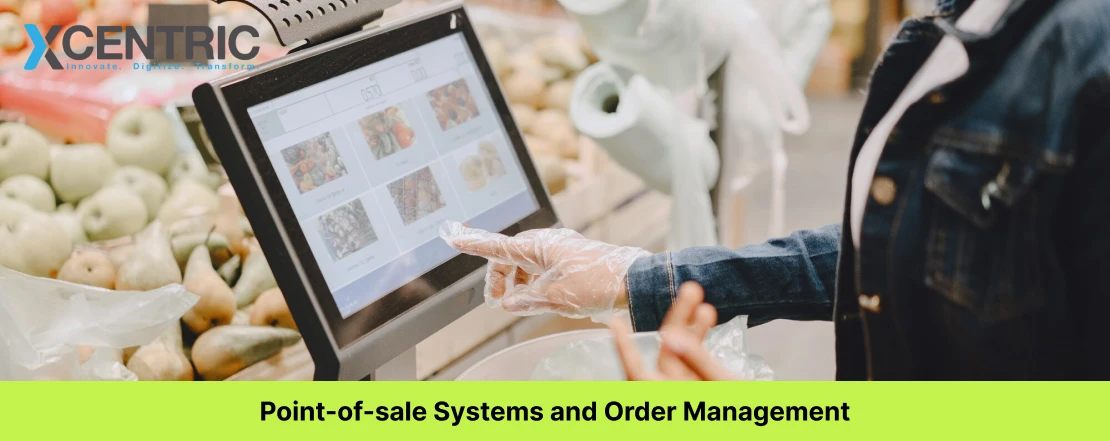
The system's point-of-sale is perhaps the most apparent piece of the overall system. A contemporary POS system should process transactions and orders in real-time, work for multiple counters, use touch screens and self-service kiosks, and be managed in a decentralized fashion.
During lunch, a corporate cafeteria, school, and industrial canteens can process thousands of transactions. Slow systems create backlogs for users and reduce operational efficiency. A sophisticated POS system should create a KOT (Kitchen Order Ticket), manage inventory, enforce subsidy rules, and capture all transaction details completely automated and requiring no manual edits.
Companies that have more than one food counter should also make sure that the system they choose provides centralized reporting for multiple food counter management. For companies that provide cafeteria management software, POS system efficiency is critically important because it ultimately determines the quality of cafeteria service.
Models for Cashless Payments and Billing
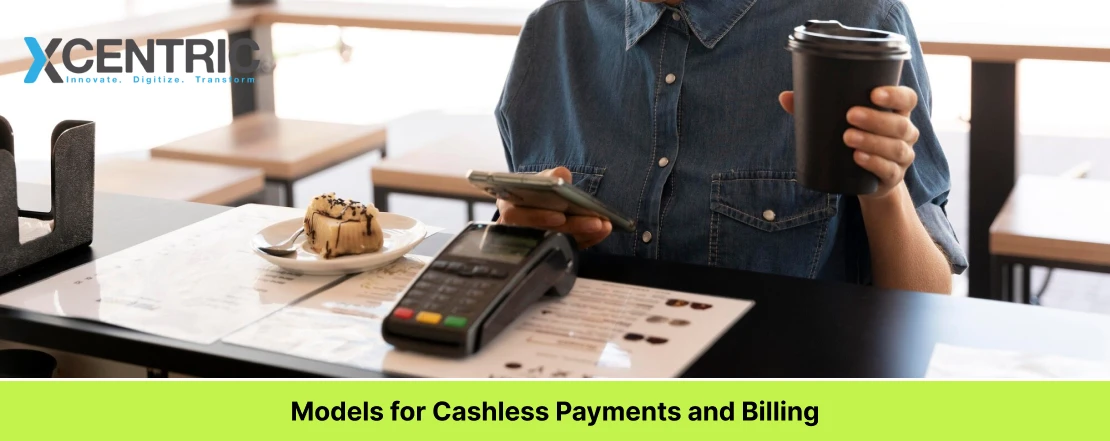
Dealing with cash creates additional work and makes accounting less precise. For this reason, businesses prefer cashless canteen management systems that allow multiple options for payments and billing. Each situation can require a different billing model.
Billing Model | Common Use Case |
Prepaid Wallet | Schools and Universities |
Postpaid Billing | Corporate offices |
Payroll Deduction | Large enterprises |
Subsidized Billing | Factories and institutions |
Guest Billing | Visitors and contractors |
The POS system should also support prepaid wallets, postpaid billing, payroll deduction, QR code payment, RFID and NFC payment and top-ups, and customizable subsidy rules.
Inventory Management and Food Waste
Food waste is a significant hidden expense in cafeteria operations. Many of these systems focus on the ordering and payment of meals, completely missing the operational challenges associated with managing inventory and minimizing waste. Pre-ordering meals helps teams better forecast how many meals to prepare.
Inventory Features and Operational Benefits
Feature | Operational Benefit |
Real-Time Inventory Tracking | Stock shortages are less likely |
Meal Forecasting | Helps avoid overproduction |
Vendor Management | Enhances supplier management |
Food Waste Monitoring | Aids in cost savings |
Consumption Analytics | Better purchasing |
Auto-Reorder Triggers | Supplies are more likely to be in stock |
Companies that enhance inventory visibility frequently find that one of the largest post-implementation ROI drivers is the reduction of food waste.
Biometric and Access Control Integration
Access control has both an operational and a security function. A smart canteen system of the future needs to support many ways to authenticate via biometrics as well as face recognition, fingerprint sensors, RFID, smart cards, QR codes, mobile, and password logins.
The best way to authenticate is dependent on each organization’s situation. Corporate offices often choose RFID Smart Cards or mobile as the preferred method. For schools, QR codes and student accounts often suffice. Hospitals have a higher need for verification, while industrial facilities frequently implement biometric authentication to eliminate both unauthorized access and duplicate meal claims.
Authentication Methods
Method | Best Fit |
Fingerprint Recognition | Factories and hospitals |
Face Recognition | Facilities with high volume throughput |
RFID Smart Card | Corporate offices |
QR Code Access | Schools and universities |
Mobile App Authentication | Distributed workforces |
Password Login | Administrative users |
Biometric integration is a valuable solution for organizations that need to manage a large workforce. It promotes accountability and mitigates meal claim fraud.
Reporting, Analytics, and Admin Dashboards
Reporting features usually determine the future usefulness of a digital cafeteria management system. Various stakeholders need insights to analyze and improve operational outcomes. Trends in reporting data assist decision-makers in optimizing vendor contracts, evaluating subsidy programs, and adjusting budgets with more accuracy.
Reporting and Analytics Capabilities
Report Type | Business Value Use |
Consumption Analytics | Forecast demand |
Peak Hour Analysis | Optimize staffing |
Department Cost Reports | Budget control |
Subsidy Reports | Financial oversight |
Inventory Reports | Waste reduction |
Audit Trail Reports | Compliance support |
Multi-Location Dashboard | Centralized management |
Visibility allows cafeteria services to shift from operating as a cost center to a functioning business segment that can be measured and managed.
System Integrations That Matter
Although the cafeteria system has relevant features, the available integrations may determine the long-term value of a system. Most organizations will have existing HRMS, payroll services, ERP systems, access control, finance, or mobile systems. A cafeteria system that cannot connect to these will simply become another operational silo.
1) HRMS and Payroll Integration
Of all the integrations, HRMS integrations are the most requested in cafeteria systems. Cafeteria systems will support the auto-sync of employee records, departmental structures, attendance, and employment types. Organizations will, for example, be able to assign different meal allowances to executives, staff, contractors, and temporary employees via HRMS data.
2) ERP Integration (SAP, Oracle, ERPNext)
For many large organizations, a custom-built digital cafeteria management system will require the integration of their cafeteria operations with various ERP systems via REST API connections. These will allow systems to support the sync of inventory, automated purchase orders, and the reconciliation of finance modules, procurement, and operations.
3) Payment Gateway and Mobile App
Customers expect mobile accessibility and integration more than ever. We recommend integration of a payment gateway, mobile/iOS/Android app support, contactless payment support, QR code meal tokens, and digital coupons. Usually, web portals offered to parents include wallet top-ups, meal history, and spending. Mobile apps offered to employees simplify ordering, managing accounts, and payment processing.
Deployment Strategy: Cloud, On-Premises, or Hybrid?
Security, accessibility, and scalability depend on the deployment model. The right choice depends on your organization's IT infrastructure, compliance and regulatory concerns, operational complexity, and how many locations you have.
Deployment Model | Best For | Key Benefits |
Cloud-Based Deployment | Multi-location organizations | Centralized management, real-time access, and easier scaling |
On-Premises Deployment | Controlled or regulated environments/legacy systems | Greater infrastructure control and local data storage |
Hybrid Architecture | Large enterprises | Cloud flexibility with on-premises control |
For organizations with more than one location, cloud-based deployment is preferred because it allows real-time availability and central control with a single database. Menu, user, and inventory, as well as report generation, can be managed remotely.
The preferred model for deployment should be in agreement with the policies and compliance needs of the organization (i.e. HIPAA, GDPR) and the growth plans of the organization. There is also the integration of the cafeteria system with access control and Building Management Systems (BMS), which can further impact the deployment decision.
Digital Cafeteria Management Systems by Industry and Sector
There are many sectors in an economy, and while the technology may largely not change across sectors, the operations do. What is applicable to a digital cafeteria management system in schools will be completely different in hospitals or factories. This is customization and industry-specific workflows.
1) Corporate Offices and Enterprises
A corporate cafeteria management system serves employees, contractors, and visitors differentiated by entity. Digital cafeteria management systems help streamline payroll deductions, subsidies, meal allowances, and vendor management systems.
Via employee self-service portals, employees can view meal histories, wallet balances, and meal receipts. This also aids the HR and finance teams in analyzing subsidies per employee and meals by departments.
Different corporate entities with multiple offices or branches will have a customizable system that provides the flexibility to support unique billing, customizable shift schedules, and HRMS (Human Resource Management Systems) and payroll integrations for employees, contractors, and visitors.
2) Schools and Universities
Educational institutions will have a school cafeteria management system that does more than meal requests and billing. This integrates student and parent meal top-ups, meal allocations, and meal entitlement systems.
Students will shorten cafeteria queue times through pre-ordered meals, and administrators will be able to forecast meals and limit food wastage. A customizable system will also have integration with Student Information Systems (SIS) that will facilitate automatic enrollment and attendance in the system.
In the US, schools will also need a customizable system to support the USDA NSLP (United States Department of Agriculture National School Lunch Program) meal system. Many campuses will also require a flexible system that allows individual schools a customizable system while maintaining centralized reporting.
3) Hospitals and Other Health Care Facilities
Precision, responsibility, and conformity are required when dealing with health care environments. Hospitals have to deal with the preparation of meals for doctors, nurses, administrative hospital staff, patients, contract staff, and visitors, each with different access and billing requirements.
Using a hospital cafeteria management system can assist with tracking dietary needs and allergies, approving meals for visitors, and providing reporting by department. Audit trails increase accountability and provide transparency of operations.
Integrating digital cafeteria management systems with hospital HRMS systems provides seamless staff billing as well as payroll deductions and subsidization. With the specialized workflows incorporating access control and HIPAA compliance, healthcare institutions further benefit.
4) Industrial and Factory Canteens
Industrial operations can be 24 hours and deal with a huge workforce spread over different shifts. Manual management of meals is difficult, especially where contract staff, temporary staff, and permanent staff all have different billing systems.
An industrial canteen management system used in a factory would have biometric access, meal windows determined by shifts, contract staff billing, subsidization, and reporting. Other companies that deal with several sites would use a centralized dashboard and would get workforce visibility along with reporting that meets the requirements of the Factories Act, where required.
How a Digital Cafeteria Management System Is Built
A cafeteria management platform cannot rely only on the features of the system, but also on the way the system is planned, developed, integrated, and supported. A company looking to develop a cafeteria management system should understand the main steps.
Discovery and Requirements Gathering
Getting to know the workflows of a business is the first step in every project. This step would include interviews of the working staff, audits of the canteen processes, planning of the integration, assessments of the hardware, and reviews of the compliance of the system.
Integration requirements for HRMS, ERP, payroll, biometric devices, and reporting will be documented prior to the start of development. Conducting an in-depth discovery process eliminates unnecessary change orders and provides a solution that meets the operational requirements of the organization.
System Architecture and Tech Stack
Integration and scaling requirements influence most architecture decisions. FastAPI or Node.js, building backends with PostgreSQL, and web interfaces using React, with mobile interfaces built using React Native or Flutter, are modern development choices. The supporting cloud infrastructure may be built on AWS, Azure, or Google Cloud.
Mobile, POS, ERP, HRMS, and other systems use SDKs, custom software, and REST APIs for seamless integration. Business requirements dictate the technology and tools of choice.
Module Development and Hardware Integration
The initial focus of development is on core modules for POS, inventory, billing, reporting, administration, and access control.
Integration of hardware poses the most challenge. This includes custom SDKs and APIs for biometric devices, RFID, kiosk devices, payment processors, and attendance systems. Custom development for organizations with unique hardware offerings is often more flexible than development using a commercial off-the-shelf product.
Testing, Deployment, and Post-Launch Support
The system is load tested to simulate peak meal periods to ensure reliable performance. UAT is conducted to validate the daily operations of admins and staff. The phased approach to large organizations is to mitigate the risk of a full deployment. The focus of Post-Launch Support is monitoring and maintenance, with staff training, performance tuning, and feature enhancements being prioritized based on need.
Build Custom vs Buy SaaS: Which Is Right for You?
For the vast majority of organizations, a digital cafeteria management system is more than a singular software project. It is an operational system that continues to grow and develop in line with the organization’s needs.
Your organization will dictate whether to build or buy a cafeteria management solution (SaaS vs. custom). Every organization's situation is different; building your own application(s) may be right for large, complex organizations that want flexibility, control over the system, and a long-term vision.
For example, some organizations will find that there are just enough standard capabilities available to meet their needs via a SaaS-type solution. Others will require more customized and flexible solutions (developed specifically for them) so that they can be successful over the long term.
Choose SaaS If | Choose Custom Development If |
Your cafeteria has standard requirements | You require extensive HRMS, ERP, or Payroll integrations |
You need to get it up and running quickly | You operate from multiple locations with unique workflows |
Your cafeteria has a single vendor and simple billing | Your cafeteria has a single vendor and simple billing |
Your cafeteria has a single vendor and simple billing | You require biometric devices, RFID systems, or custom hardware integration |
Standard features meet most operational needs | Standard features meet most operational needs |
Cloud-only deployment is acceptable | Standard features meet most operational needs |
Most smaller organizations with standard requirements will be able to use a SaaS-based software to support them as a starter.
Conclusion
Modern systems facilitate a range of user groups, including employees, students, contractors, visitors, patients, and guests. Modern systems also provide insights into consumption trends, automate billing, assist with inventory management, and allow businesses to optimize their food service operations using time-saving, efficient, and data-driven solutions.
For businesses that operate in multiple locations, the systems also provide the ability to manage, control, and configure menus, pricing, meal access, and rules at each location. The end result is an improved operation that is less manual with improved reporting and greater expense control.
A custom solution for technology adapts to the needs of the organization, rather than forcing changes to an existing company to meet the limitations of software. This is vital in many situations, including enterprises, universities, hospitals and industry facilities, since no two will have the same operational needs.
If you need a solution that is built around how your operations work, you should consider working with Xcentric Services. We specialize in custom cafeteria management software development for organizations that require more than off-the-shelf software to operate. The process our team provides encompasses the discovery of your needs, architecting the solution, developing it, integrating it, deploying it and finally, providing ongoing support. We will focus much of our time building systems that will align with the operational workflows you already have in place.
Frequently Asked Questions
What is the difference between a cafeteria management system and a canteen management system?
This is largely the difference in terminology based on geography. “Cafeteria management system” is the term that tends to be used across North America, whereas “canteen management system” is used across the UK, the Commonwealth, India, and the GCC. They are functionally the same management systems. They are used to manage meal requests, payments, inventories, and access control and generate reports.
How much does it cost to build a cafeteria management system?
Cost of development is based on the complexity of the project, the number of modules needed, requirements for integrations, the deployment model and hardware requirements, as well as the number of user groups supported. Because each organization is unique, a prior discovery process is needed to state a price. Get in touch with Xcentric Services for a project assessment and estimate.
Can the system be used at different locations?
Yes. Digital cafeteria management systems can be used at different locations via a digital management control system. This allows an organization to manage all sites with a single control system, while allowing each site to maintain its own operational settings.
Will it work with the current HRMS or ERP systems?
Yes. Custom-made systems can be built to work with HRMS systems, payroll, and enterprise resource planning systems such as SAP and Oracle, as well as ERPNext and Odoo, along with finance systems, inventory systems, and access control systems via REST API and other integration methods.
What authentication methods can be used?
Typical modern platforms include biometric, fingerprint and facial recognition, RFID Smart Card, QR code, mobile, and traditional username and password authentication. The most appropriate methods vary based on the organization, its workforce, and its security needs.
How long is the development cycle?
Project timelines differ based on the range of required functionality, complexity of integrations, required deployments, and connectivity of the hardware. Some implementations are relatively straightforward, but the majority of large-scaled enterprise solutions require a development and rollout approach that is broken down into several phases. The best method of estimating practical timelines is through a discovery workshop.
Share



Want To Increase Your Ranking On The Search Engines?
Get In Touch With Us!
Trending Blogs
Digital Marketing...
Xcentric Team
8 MONTHS AGO
What To Read Next?
For owners and managers of dental clinics in Lahore, here is a critical fact you...
Xcentric Team
8 MONTHS AGO

The Middle East e-commerce industry is rapidly growing due to increased digital acceptance, mobile-first consumers...
Xcentric Team
9 MONTHS AGO

These days, the e-commerce industry is growing at an exponential rate. With the rise of...
Xcentric Team
9 MONTHS AGO